


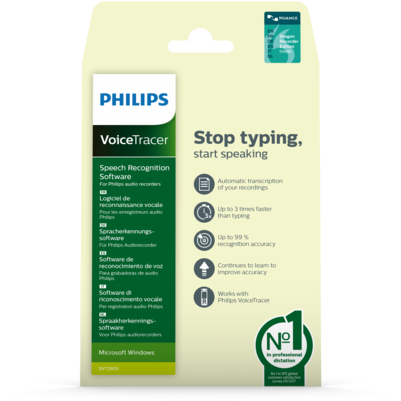
Stop typing, start speaking
with up to 99% accuracy
Turn your recordings into text quickly, easily and accurately with the Philips VoiceTracer Speech Recognition Software. Save hours of tedious typing by automatically turning your audio recordings into written text. Simply record using your VoiceTracer and let the software do the typing for you!
Features
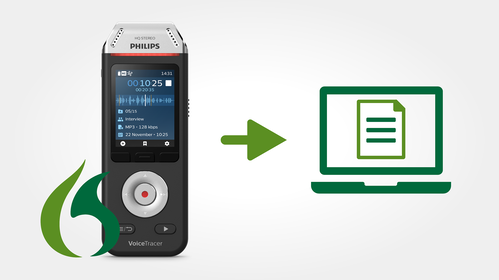
Speech recognition software eliminates the need to type up documents
Put an end to tedious typing and create text documents directly from recorded audio files. The speech recognition software automatically converts your recordings into a text file.
Automatically transcribe your recordings, up to three times faster than typing
Using the speech recognition software is at least three times quicker than typing up the document yourself. Simply record your documents and notes, connect the recorder to the computer, click the ‘Transcribe’ button and the software does the typing for you.
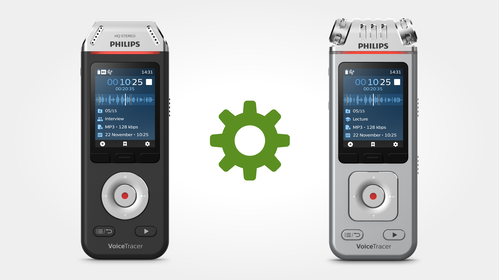
Software works with all current Philips VoiceTracer audio recorders
Transcribe any recordings you create with your Philips audio recorder automatically into text. The software is compatible with all current Philips VoiceTracer models.

Exceptional transcription accuracy rate of up to 99 %
The speech recognition software provides an astounding accuracy rate of up to 99 %. It also never misspells a word, so typos are a thing of the past.
Software continues to learn to improve speech recognition accuracy
The smart algorithm learns from corrections you make to the transcribed text. This means the more you use the software, the more accurate your results become. The software also memorizes patterns, and commonly grouped words when you speak, to predict which words are most likely to occur. This acts as an extra boost to your speech recognition accuracy.
Enter your software serial number
The VoiceTracer Speech Recognition Software only works with Philips VoiceTracer Audio Recorders. To download the installation file, enter the serial number, then click Download.
Find your serial number
The serial number can be found on the quick start guide in the product packaging.
System requirements
- Operating system:
- Windows 11/10/8.1/8/7
- Processor:
- Intel dual core or equivalent AMD, 2.2 GHz or later
- RAM memory:
- 2 GB (32-bit)/4 GB (64-bit)
- Hard disk space:
- 4 GB
- Sound card:
- capable of supporting 22 kHz 16-bit recording
- USB:
- free USB port
- Internet connection for download and activation
Supported speech recognition languages
- Dutch, English, French, German, Italian, Spanish
Supported Philips VoiceTracers
- Models:
- DVT1110, DVT1150, DVT1160, DVT1200, DVT1250, DVT1260, DVT2000, DVT2010, DVT2050, DVT2110, DVT2510, DVT2710, DVT2810, DVT4010, DVT4110, DVT6010, DVT6110, DVT6510, DVT7110, DVT8010, DVT8110
Package contents
- Quick start guide
- Software product key with download link
Product dimensions
- Packaging dimensions (W × H × D):
- 11.5 × 18.5 × 0.3 cm / 4.5 × 7.3 × 0.1 inch
- Weight:
- 11 g / 0.4 oz.
- GTIN-13:
- 0855971006557
Manuals and documentation
- Software manual English (1.6 MB)
Software and drivers
Marketing & sales material
- Leaflet English (2 MB)