


SpeechExec Enterprise
Dictation and Transcription Solution with Dragon Medical One Speech Recognition
Collaborative medical speech recognition
accelerating document production
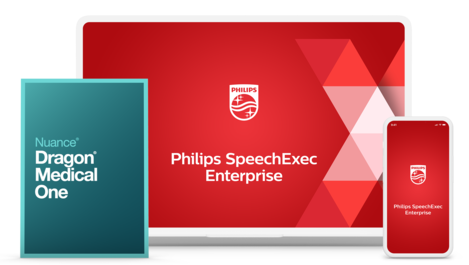
SpeechExec Enterprise is a collaborative digital dictation and speech recognition solution that connects one or more clinicians with their assistants. With Nuance’s proven Dragon Medical One technology integrated, SpeechExec Enterprise provides a full range of capabilities, including cursor-based speech recognition for complete physician autonomy, enabling an easy workflow between clinicians and assistants by linking the audio file to the text file, and increased mobility with the ability to use a mobile digital recorder or smartphone.
Features
Specialized medical vocabulary for maximum speech recognition accuracy
Best-in-class speech recognition capabilities with specialized medical vocabulary allow you to dictate immediately, with no voice profile training. Achieve 99% accuracy with automatic accent detection and audio calibration. Additional vocabulary can also be added and the solution learns from its mistakes.
Collaborative direct speech recognition for convenient dictation
SpeechExec Enterprise supports a direct speech recognition scenario allowing the author to dictate in front of the screen and see the text appear in real time. The text is displayed in the SpeechExec editor where it is also possible to display customized templates. At the end of the dictation, the author can send the text file and the associated audio file for correction to their assistant.
Deferred speech recognition of dictations recorded on a voice recorder or smartphone
The deferred speech recognition scenario allows the clinician to dictate from anywhere at any time with the dictation solution of their choice. Once the dictation is sent, it is automatically transcribed by Dragon Medical One, and the text file and dictation are made available to the assistants for correction.
Speech recognition directly in the applications of your choice, for example patient files, Word or Outlook
The autonomous speech recognition scenario allows clinicians to dictate directly with Dragon Medical One in the application of their choice, for example directly into their Electronic Patient Record (EPR), Word or Outlook. In this scenario, the audio file is not recorded and the clinicians cannot delegate the corrections to their administrative staff.
Smartphone app to maximize on-the-go productivity
The Philips Smartphone App helps authors stay productive anywhere, anytime. It allows one to record directly into their iOS or Android mobile device and send recordings to Dragon speech recognition. The administrative team then receives an audio file as well as a text file from the speech recognition software.
GDPR compliant solution for maximum data security
The Dragon speech recognition solution integrated in SpeechExec is GDPR-compliant, with speech data transmitted over 256-bit encrypted channels and TLS protocols for end-to-end security. Audio and text files are not stored in the cloud but on the infrastructure of choice.
Dashboards and statistics for better analysis of document creation
SpeechExec Enterprise’s statistics module allows authors to use all dictation properties to measure the performance indicators of their choice. Transcription times, average duration of a dictation, periods of overactivity or volumes per department. All these indicators allow fact-based evaluation of the document creation process.
Integration with CRM software for a smooth and seamless integration and worfklow
SpeechExec’s API (Application Programming Interface) allows professionals to integrate information from their CRM tool into each dictation: client name, company name, case number, etc. Several methods are possible, for example: contextual call, database exchange, barcode scan. Afterwards, once the document is transcribed, it is sent back to the CRM tool.
Support for remote and virtualized environments for easier central administration
Support for Microsoft Remote Desktop Services (RDS), Citrix and VMware enables SpeechExec applications to be delivered on demand. SpeechExec can be virtualized, centralized and managed in the data center of choice so that it can be instantly delivered as a service to users wherever they are.
Hardware support for all Philips dictation devices for full convenience
All Philips PocketMemo series devices, SpeechMikes and ACC2300 series foots controls are supported by SpeechExec Enterprise as well as some professional devices from other brands. This way the hardware remains a sustainable investment.
What our customers say

“The administrative part of the medical workload is becoming increasingly important, and the solution allows us to speed up procedures.“
Dr. Bernard Porsin, Pneumologist, ATRIR clinic, Nyons, France
Read the story › See all stories ›Enter your software serial number
The VoiceTracer Speech Recognition Software only works with Philips VoiceTracer Audio Recorders. To download the installation file, enter the serial number, then click Download.
Find your serial number
The serial number can be found on the quick start guide in the product packaging.
System requirements
- Processor:
- Intel dual core or equivalent AMD processor, 1 GHz or faster processor
- RAM:
- 4 GB
- Hard-disk space:
- 100 MB for SpeechExec software, 4.5 GB for Microsoft .NET Framework, 2 GB for SAP Crystal Reports
- Network:
- 100 Mbit/s transfer rate, TCP/IP network protocol
- Client operating system:
- Windows 11/10 Pro/Enterprise (64 bit)
- Server operating system:
- Windows Server 2022/2019/2016
- Graphics:
- DirectX-compliant graphics card with hardware acceleration recommended
- Sound:
- Windows-compatible sound device
- Free USB port
- Internet connection
- File servers:
- Windows Server 2022/2019/2016, Linux Samba-Server (Debian, Kernel 3.16.7)
- Email configurations:
- Microsoft Outlook 2019/2016, Microsoft Exchange Server 2019/2016
System requirements Dragon Medical One
- Client operating system:
- 64-bit Microsoft Windows operating systems, with latest patches applied
- .NET:
- Microsoft .NET Framework 4.5 (or higher) is required
- Processor:
- 2.8Ghz
- RAM:
- 4 GB
- Internet connection:
- 80 kBps and higher
- Web browser:
- Google Chrome recommended
Convenience
- Supported UI languages SpeechExec:
- English, German, French, Dutch, Spanish, Czech, Danish. Finnish, Norwegian, Swedish
- Automatic update via internet
Audio
- Recording format:
- .dss, .ds2, .wav
- Playback format:
- .dss, .ds2, .wav, .mp3, .wma
Workflow
- File transfer:
- LAN, email, FTP
- Automatic download from portable voice recorders
- Automatic file format conversion at download
- Interface for automatic transcription with Dragon speech recognition software
Security
- DSS Pro encryption:
- real-time AES encryption with 256 bits
- SpeechExec encryption:
- AES encryption with 256 bits
Hardware configuration
- Supported hardware:
- Philips PocketMemo Voice Recorder DPM8000 Series, Philips SpeechOne Wireless Dictation Headset, Philips SpeechMike, SpeechMike Premium, SpeechMike Premium Touch and SpeechMike Premium Air Dictation Microphones, Philips Foot Control ACC2300 series
- Configuration options:
- device option settings, configuration of slide switch and programmable buttons, keyword configuration, recording profiles, file download, encryption, PIN code protection
Windows-based server virtualization
- Supported virtualization software:
- Citrix Virtual Apps and Desktops, Microsoft Remote Desktop Services, VMware Horizon
- Client operating system:
- Windows 11/10 (64 bit)
- SpeechExec Enterprise Dictate and Transcribe Software running on a server operating system is only supported in Microsoft Remote Desktop Services, Citrix Virtual Apps and Desktops and VMware Horizon environments
Thin client
- Igel OS 11/Igel OS 12
- eLux RP 6.x
Supported Philips dictation hardware in virtual environments
- SpeechOne Wireless Dictation Headset PSM6000 series
- Philips PocketMemo Voice Recorder DPM8000 Series
- Philips SpeechMike, SpeechMike Premium, SpeechMike Premium Touch and SpeechMike Premium Air Dictation Microphones
- Philips Foot Control ACC2300 series
Manuals and documentation
- User manual English SpeechExec Enterprise Dictate (21 KB)
- User manual English SpeechExec Enterprise Transcribe (22 KB)
Marketing & sales material
- Leaflet English (2.4 MB)