

Use the power of your voice
with professional digital dictation
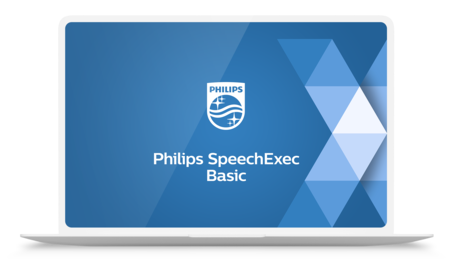
SpeechExec Basic Dictation and Transcription Software links authors and transcriptionists. It facilitates communication, the setup of individual workflow settings and organizational flexibility to help save time and resources. Transcriptionists can playback and conveniently transcribe recorder files using a foot control.





Features
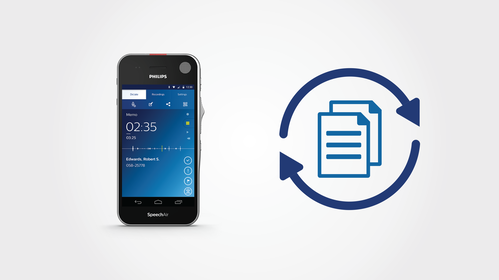
Workflow management and automation for enhanced productivity
Easily monitor and manage the workflow between authors and transcriptionists. Recordings and the resulting written documents are automatically routed to the appropriate person for quicker turnaround times.

Worklist for easy work monitoring and tracking
Worklists help both authors and transcriptionists monitor their work statuses. They save time used for unnecessary status update communication. Files can be organized into sub folders, assigned specific properties and comments and marked as urgent to help organize and prioritize tasks.
Optional SpeechLive connection available for even greater mobility
Philips SpeechLive cloud dictation workflow solution gives users constant file access via browser for greater flexibility and mobility. With SpeechLive, authors can dictate with their smartphone from anywhere and send dictations directly to their SpeechExec software. It also features a transcription service, where trained professionals quickly type up recordings for the author.

Flexible licensing to access SpeechExec from anywhere, including at home
Licenses are now assigned to individual users, not to individual PCs, giving you the freedom to work from your desktop at work or from a laptop off-site. This also allows you to easily reactivate a license in case of a hardware failure.
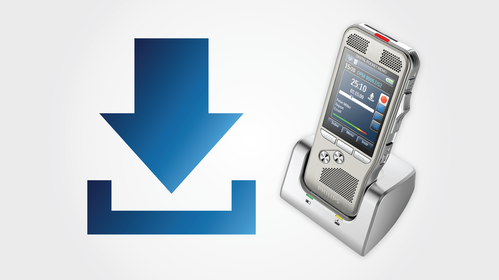
Automated file download for quick and convenient job routing
SpeechExec Basic allows authors to automatically download all their dictations from their voice recorder straight into the software and route to the appropriate destination via their local network, FTP server, SpeechLive or email.
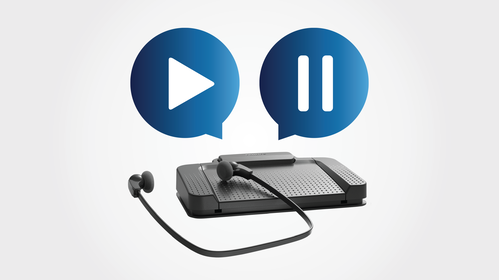
Transcription player with foot control support for hands-free playback control
The software comes with a conveniently integrated transcription player with pause, fast forward and rewind options. Together with the configurable Philips foot control it allows for comfortable and quick transcription. Predefined templates can be used, so documents are automatically created with the appropriate header and footer, saving you even more time.
What our customers say
“In the case of an urgent dictation, I send it with a red indicator and I can monitor it by simply consulting the software, to find out when it has been dealt with and by which secretary.“
Anne-Sophie Vérité, Laywer
Read the story › See all stories ›
“The process is efficient; letters are dictated immediately after the patient leaves enabling a steady administrative flow to the secretaries and overall smoother and faster document processing.“
Dean Putland, Head of IT and BI
Read the story › See all stories ›
“We have all the doctors on board and they are using either the Philips SpeechMike or their mobile phone. All comments have been positive from both doctors and secretaries alike being that it has increased our productivity by a noticeable amount of time.“
Dawn Rounce, Medical Secretary Team Leader
Read the story › See all stories ›
“Most of the corrections are only trivial errors or substitutions“
Prof. Dr. Ales Ryska, Fingerland Department of Pathology, Hradec Králové, Czech Republic
Read the story › See all stories ›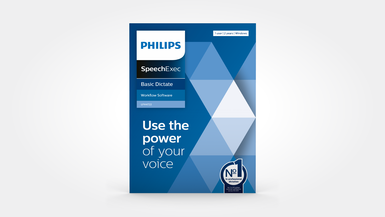
SpeechExec Basic Dictate
The module for authors.
LFH4712: 2-year subscription
€94.00/yr
€ 78.33/yr excl. VAT
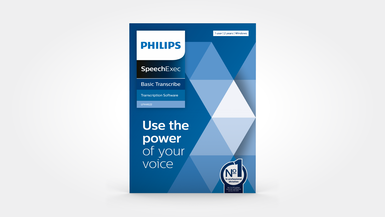
SpeechExec Basic Transcribe
The module for transcriptions including the integrated player for transcriptionists.
LFH4612: 2-year subscription
€122.00/yr
€ 101.67/yr excl. VAT
Enter your software serial number
The VoiceTracer Speech Recognition Software only works with Philips VoiceTracer Audio Recorders. To download the installation file, enter the serial number, then click Download.
Find your serial number
The serial number can be found on the quick start guide in the product packaging.
System requirements
- Processor:
- Intel dual core or equivalent AMD processor, 1 GHz or faster processor
- RAM:
- 4 GB (64 bit)
- Hard-disk space:
- 100 MB for SpeechExec software, 4.5 GB for Microsoft .NET Framework
- Operating system:
- Windows 11 Pro/Enterprise
- Graphics:
- DirectX-compliant graphics card with hardware acceleration recommended
- Screen resolution:
- minimum 1024 × 768 px with 100% DPI scaling, maximum 3200 × 1800 px with 150% DPI scaling
- Sound:
- Windows-compatible sound device
- Free USB port
- Internet connection for required software activation
- Headphone output or speakers
Convenience
- Supported languages:
- English, German, French, Dutch, Spanish, Czech, Danish, Finnish, Norwegian, Swedish
- Automatic update via internet
Audio
- Recording format:
- .dss, .ds2, .wav
- Playback format:
- .dss, .ds2, .wav, .mp3, .wma
Workflow
- File transfer:
- LAN, email, Philips SpeechLive, FTP (SpeechExec Dictate only)
- Automatic download from portable voice recorders
- Automatic file format conversion at download
Supported hardware
- SpeechExec Basic Dictate:
- Philips PocketMemo Voice Recorders
- SpeechExec Basic Transcribe:
- Philips Foot Control ACC2300 Series
- Hardware configuration:
- device option settings, configuration of slide switch and programmable buttons, keyword configuration, recording profiles, file download, PIN code protection
Supported programs
- Email programs:
- Microsoft Outlook 2019/2016/2013/2010, Microsoft Exchange Server 2019/2016/2013/2010
- File servers:
- Windows Server 2016/2019/2022
Related products
- Philips PocketMemo Voice Recorders
- Philips SpeechMike Dictation Microphones
- SpeechOne Wireless Dictation Headset
Manuals and documentation
- Software manual English SpeechExec Basic Dictate (24 KB)
- Software manual English SpeechExec Basic Transcribe (24 KB)
Software and drivers
Marketing & sales material
- Leaflet English (658 KB)
Video tutorials
Delivery options
Delivery options
Add authors and creating subfolders
Add authors and creating subfolders
SpeechExec and SpeechLive
SpeechExec and SpeechLive
PocketMemo settings
PocketMemo settings
SpeechAir settings
SpeechAir settings