

Use the power of your voice
with professional digital dictation
SpeechExec Pro Dictation and Transcription Software links authors and transcriptionists. It facilitates communication, the setup of individual workflow settings and organizational flexibility to help save time and resources. Authors can record directly into the software using a dictation microphone and transcriptionists can playback and conveniently transcribe these files using a foot control.



Features
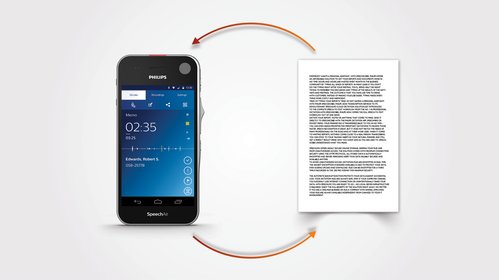
Workflow management and automation for enhanced productivity
Easily monitor and manage the workflow between authors and transcriptionists. Recordings and the resulting written documents are automatically routed to the appropriate person for quicker turnaround times.
Worklists for easy work monitoring and tracking
Worklists help both authors and transcriptionists monitor their work statuses. They save time used for unnecessary status update communication between parties. Files can be organized into sub folders, assigned specific properties and comments and marked as urgent to help organize and prioritize tasks.
Encryption and backup functions for highest security
Real-time file encryption (256 bit) and secure file transfer grant only authorized individuals to access documents. The optional automatic backup function protects data against accidental loss.
SpeechLive connection available for even greater mobility
Philips SpeechLive cloud dictation workflow solution gives users constant file access via browser for greater flexibility and mobility. With SpeechLive, authors can dictate with their smartphone from anywhere and send dictations directly to their SpeechExec software. It also features a transcription service, where trained professionals quickly type up recordings for the author.

Recorder for convenient direct dictation with Philips dictation microphones
With the integrated dictation recorder, authors can record directly into their SpeechExec software. The software works perfectly with Philips SpeechMike dictation microphones and allows for quick and easy control of all recording and playback functions such as insert, overwrite and append. Function buttons can be individually programmed for added user convenience.

Flexible licensing to access SpeechExec from anywhere, including at home
Licenses are now assigned to individual users, not to individual PCs, giving you the freedom to work from your desktop at work or from a laptop off-site. This also allows you to easily reactivate a license in case of a hardware failure.
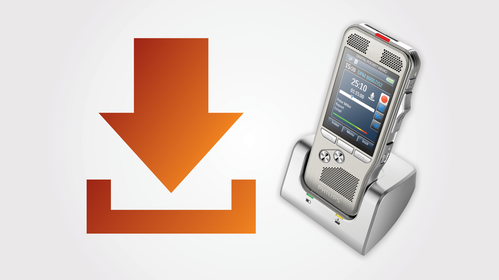
Automated file download for quick and convenient job routing
SpeechExec Pro allows authors and transcriptionists to automatically download all their dictations from their voice recorder straight into the software and route to the appropriate destination via their local network, FTP server, SpeechLive or email.
Geared for professional speech recognition for highest accuracy
Speech recognition software from Dragon can be seamlessly connected with solution. Whether the author is dictating directly into the software using a Philips microphone or uploading recorded files from a voice recorder, they will receive accurate speech recognition results which will help speed up their workflow.
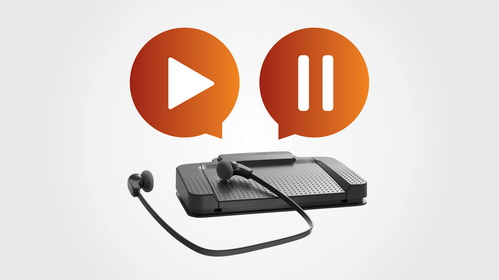
Transcription player with foot control support for hands-free playback control
The software comes with a conveniently integrated transcription player with pause, fast forward and rewind options. Together with the configurable Philips foot control it allows for comfortable and quick transcription. Predefined templates can be used, so documents are automatically created with the appropriate header and footer, saving you even more time.

Individual sort and filter options for organization and task prioritization
Both author and transcriptionist benefit from individual sort and filter options to find dictations and documents even quicker and always stay highly organized.

Popup alerts for notification of new important tasks
Transcriptionists can receive alerts whenever new recordings are assigned to them, making sure no important recordings are missed. These notifications appear on their screen in real-time in a discreet popup window.
What our customers say

“Being a lawyer is a hard job, and I owe much of my success to how I’ve been able to use technology to my advantage“
Marc Jonas, Shareholder and co-chair of the firm’s Land Use and Zoning practice group, Eastburn and Gray, PC
Read the story › See all stories ›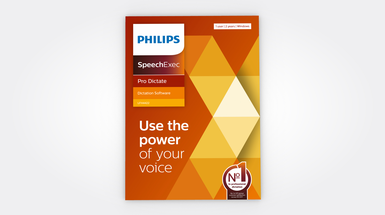
LFH4400
SpeechExec Pro Dictate
The module for authors including the integrated dictation recorder.
LFH4412: 2-year subscription
LFH4422: 2-year subscription (boxed version)
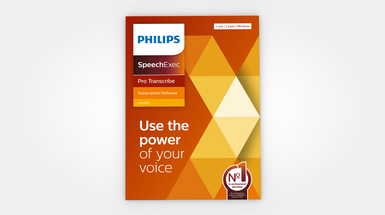
LFH4500
SpeechExec Pro Transcribe
The module for transcriptions including the integrated player for transcriptionists.
LFH4512: 2-year subscription
LFH4522: 2-year subscription (boxed version)
Enter your software serial number
The VoiceTracer Speech Recognition Software only works with Philips VoiceTracer Audio Recorders. To download the installation file, enter the serial number, then click Download.
Find your serial number
The serial number can be found on the quick start guide in the product packaging.
System requirements
- Processor:
- Intel dual core or equivalent AMD processor, 1 GHz or faster processor
- RAM:
- 4 GB (64 bit)
- Hard-disk space:
- 100 MB for SpeechExec software, 4.5 GB for Microsoft .NET Framework
- Operating system:
- Windows 11 Pro/Enterprise
- Graphics:
- DirectX-compliant graphics card with hardware acceleration recommended
- Screen resolution:
- minimum 1024 × 768 px with 100% DPI scaling, maximum 3200 × 1800 px with 150% DPI scaling
- Sound:
- Windows-compatible sound device
- Free USB port
- Internet connection for required software activation
- Headphone output or speakers
Additional system requirements for speech recognition software
- Supported speech recognition software:
- Nuance Dragon Professional 16 Individual/Group, Nuance Dragon Legal 16, Dragon Medical Practice Edition 4
- Processor:
- Intel dual core or equivalent AMD processor, 2.2 GHz or faster processor
- RAM:
- 4 GB (32 bit)/8 GB (64 bit)
- Hard-disk space:
- 8 GB
- Operating system:
- Windows 11 Pro/Enterprise, Windows 10 Pro/Enterprise (64 bit)
Convenience
- Supported languages:
- English, German, French, Dutch, Spanish, Czech, Danish. Finnish, Norwegian, Swedish
- Automatic update via internet
Audio
- Recording format:
- .dss, .ds2, .wav
- Playback format:
- .dss, .ds2, .wav, .mp3, .wma
Workflow
- File transfer:
- LAN, email, FTP, Philips SpeechLive
- Automatic download from portable voice recorders
- Automatic file format conversion at download
- Interface for automatic transcription with Dragon speech recognition software
Security
- DSS Pro encryption:
- real-time AES encryption with 256 bits
- SpeechExec encryption:
- AES encryption with 256 bits
Hardware configuration
- Supported hardware:
- Philips SpeechAir Smart Voice Recorder, Philips PocketMemo Voice Recorder DPM8000 series, Philips SpeechMike Dictation Microphones, Philips SpeechOne Wireless Dictation Headset, Philips Foot Control
- Configuration options:
- device option settings, configuration of slide switch and programmable buttons, keyword configuration, recording profiles, file download, encryption, PIN code protection
Supported programs
- Email programs:
- Microsoft Outlook 2019/2016/2013/2010, Microsoft Exchange Server 2019/2016/2013/2010
- File servers:
- Windows Server 2016/2019/2022
Related products
- Philips PocketMemo Voice Recorder DPM8000
- Philips SpeechMike Premium Air Wireless Dictation Microphone SMP4000
- Philips SpeechMike Premium Dictation Microphone LFH3500
- Philips SpeechMike Dictation Microphone LFH3200
- SpeechOne Wireless Dictation Headset PSM6000
Manuals and documentation
- Software manual (Windows) English Pro Dictate (26 KB)
- Software manual (Windows) English Pro Transcribe (24 KB)
Software and drivers
Marketing & sales material
- Leaflet English (953 KB)
Video tutorials
Folder structure
Folder structure
Finished dictations folder
Finished dictations folder
Delivery options
Delivery options
Add authors and creating subfolders
Add authors and creating subfolders
SpeechExec and SpeechLive
SpeechExec and SpeechLive
PocketMemo settings
PocketMemo settings
SpeechAir settings
SpeechAir settings